





Activate eSIM on Your Windows Devices
Connect your laptop or tablet to the internet without a physical SIM card.
How to Set up and activate eSIM on Your Windows Devices
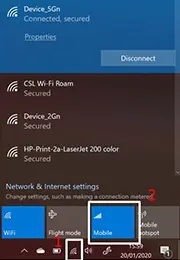
Click the Internet access icon and then right click the mobile data
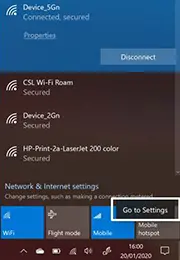
Select “Go to Setting”
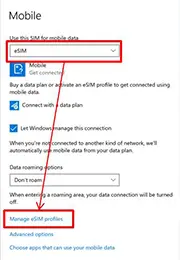
Select eSIM for mobile data and then click “Manage eSIM profiles”
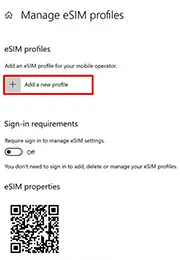
Click “Add a new profile”
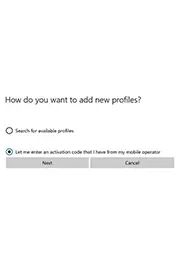
1. Select “Let me enter an activation code
that I
have from my mobile operator”
and then click Next
2. Click
“Next”

Scan the QR code or enter the activation code manually
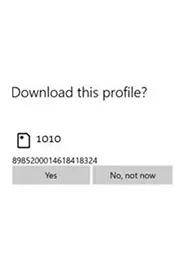
Ensure the eSIM profile and then click “Yes”
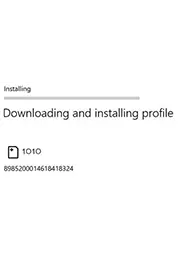
Wait the eSIM installation completed
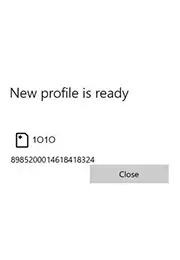
Close the tab
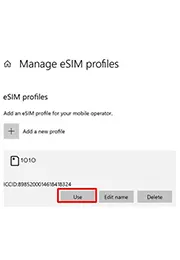
Check and click “Use” enable the installed eSIM profile, eSIM installation is finish
在 Windows 裝置上啟用 eSIM
![步驟 1: 點選網際網絡存取圖示後右鍵點擊 [行動數據]](/web/image/1516-e2970bf1/slide2_tc_01.webp)
點選網際網絡存取圖示後右鍵點擊 [行動數據]
![步驟 2: 選擇 [移至設定]](/web/image/1519-24da3d70/slide2_tc_02.webp)
選擇 [移至設定]
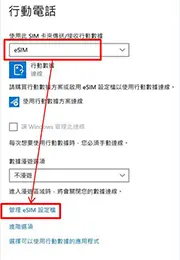
從[使用此 SIM 卡來傳送/接收行動數據]選取[eSIM]後選擇 [管理 eSIM 設定檔]
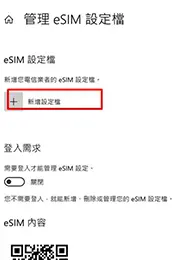
選取 [新增設定檔]

1. 選取
[讓我輸入我的電信業者所提供的啟用代碼]
2. 選取
[下一個]
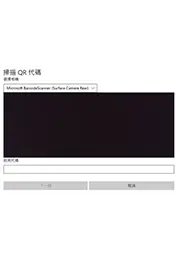
掃描 QR 代碼以取得啟用代碼後點選 [下一個]
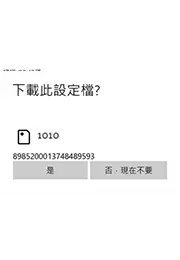
查看及確定eSIM設定檔後 選取 [下一步]

等待eSIM安裝完成
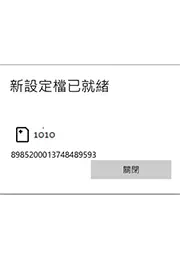
完成後關閉視窗
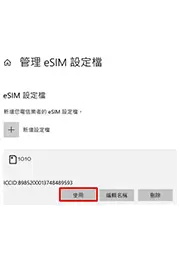
在 eSIM 設定檔底下,選取您要使用的設定檔,然後選取 [使用]